11
11
Quick Answer: NNTP pipelining lets SABnzbd request multiple articles at once, reducing wait time between responses and improving performance on higher-latency or lower-connection setups.
NNTP pipelining allows SABnzbd to request multiple Usenet articles in a single sequence instead of waiting for each response individually. This reduces idle time between requests and can improve throughput in certain network conditions.
How NNTP Pipelining Works
Normally, a newsreader sends a request for one article and waits for the server to respond before requesting the next. NNTP pipelining changes this behavior by sending several requests at once.
This reduces delays caused by network latency and helps maintain a steadier flow of data between your system and the Usenet server.
When to Use NNTP Pipelining
NNTP pipelining is most useful in the following situations:
- Higher latency connections (longer distance to the server)
- Lower connection limits on your plan
- Systems where connections are not fully saturating available bandwidth
In setups with very high connection counts or already maxed-out speeds, the impact may be minimal.
How to Enable NNTP Pipelining in SABnzbd
Follow these steps to adjust the pipelining setting:
- Open the SABnzbd Web interface.
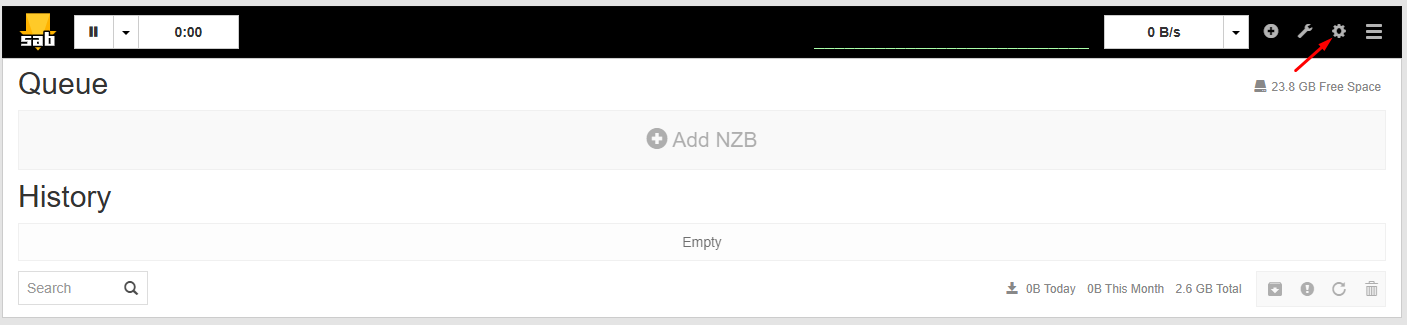
- Click Settings.
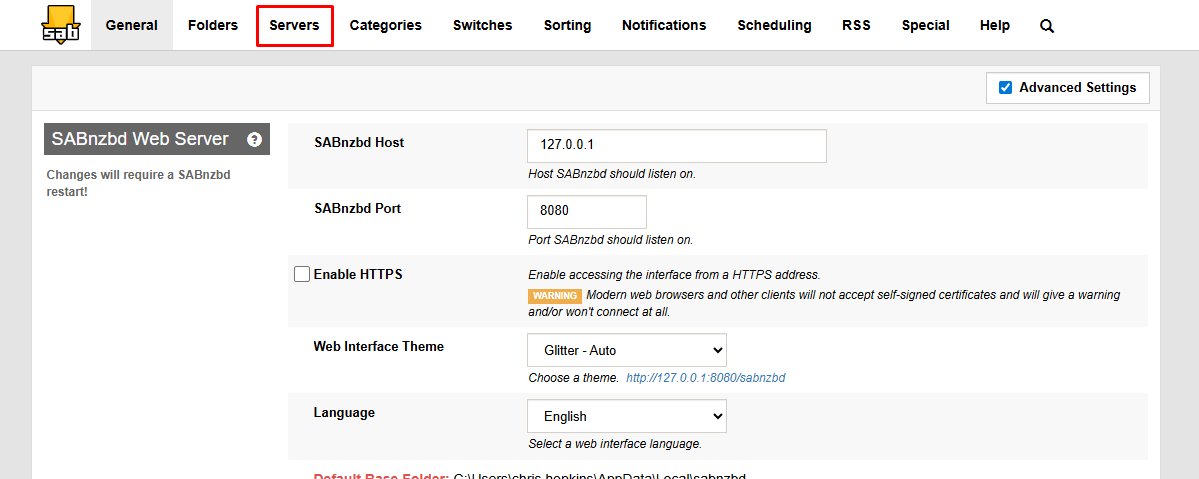
- Select the Servers tab.
- Find your configured Usenet server in the list.
- Click Show Details next to that server.
- Locate the Articles per request setting.
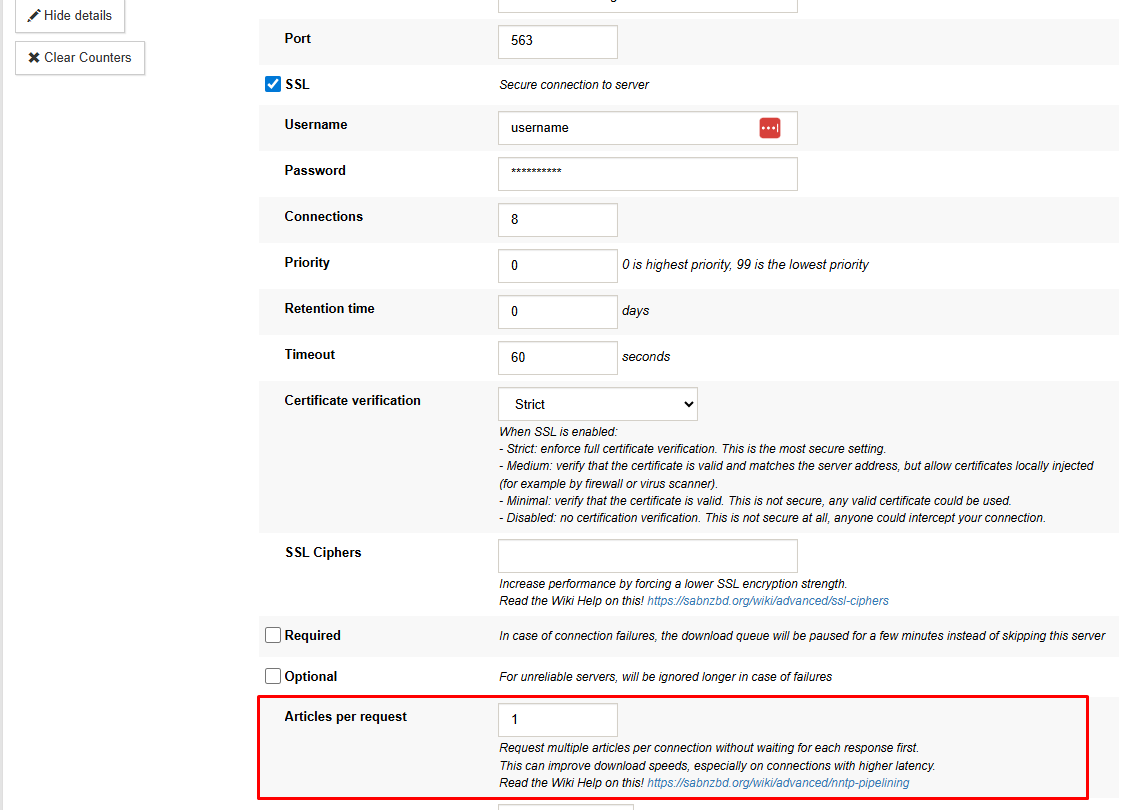
- Enter a value to control how many articles are requested at once.
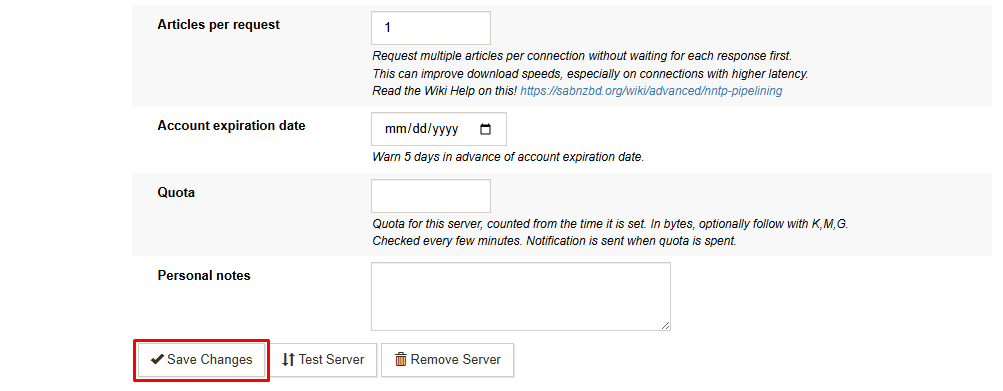
- Click Save Changes.
Start with a moderate value and adjust based on performance. Higher values can improve efficiency but may not always produce better results.
Choosing the Right Value
There is no single best setting for every system. Performance depends on latency, connection count, and hardware.
- Lower values may work better on fast, low-latency connections
- Higher values may help when latency is higher or connections are limited
Testing a few values is the most reliable way to find the optimal setting.
What to Expect After Enabling
After enabling NNTP pipelining, you may notice:
- Faster completion of article requests in higher-latency setups
- More consistent transfer rates with fewer interruptions
- Little to no change if your connection is already fully utilized
When This Setting Actually Helps
NNTP pipelining can improve performance by reducing request delays, especially when latency or connection limits are factors. Gains typically decrease as connection counts increase and available bandwidth is already being fully used.